Bring records together
Keep reports, visit notes and labels by person and date. Return to the original whenever you need it.
FOR FAMILIES CARING ACROSS BORDERS
MyKinRecord (Carefolio, known in Chinese as 家安簿) is a family medical-record organizer for cross-border care: keep Chinese and English originals, review the details, choose access per profile and prepare an appointment brief.
No account needed for the demo · All records are fictional
DAD’S RECORDS
Ming ChenFictional person · Age 68
LESS SEARCHING. MORE PREPARATION.
You don’t need to make medical judgments. Start with clear records and the questions you want to ask.
Keep reports, visit notes and labels by person and date. Return to the original whenever you need it.
Compare fields with the source and confirm after corrections. Pending records stay out of the appointment brief.
Grant access per profile. Gather reviewed records and your questions into a printable appointment brief.
ONE FAMILY. ONE APPOINTMENT.
When you live overseas, your parents’ medical records can feel scattered. MyKinRecord helps family organize them and prepare for the next appointment.
First, keep reports and visit notes together, organized by family member and date. Keep Chinese and English originals, and return to the source whenever you need it.
Extraction can make mistakes. Review important details against the original. This fictional visit note keeps the source beside its date and follow-up fields. Confirm each detail, and check again after corrections. Leave uncertain records pending. They stay out of the appointment brief.
Care is a shared effort. Choose view or edit access for each family profile, and revoke it when needed. The demo sends no real invitations.
Before a visit, bring reviewed records and your questions into a printable brief. This helps you prepare for the conversation. The tool does not provide diagnosis or treatment advice.
Explore MyKinRecord with a fictional sample. All people and medical records shown here are fictional.
The interface supports Chinese and English. Switching interface language does not translate medical source text. Extracted fields need human review. This demo does not provide diagnosis or treatment advice.
THE DETAIL — AND WHERE IT CAME FROM
Document layouts vary, and extraction can make mistakes. Keep the source alongside organized fields so family can review each detail.
Try reviewing a fictional record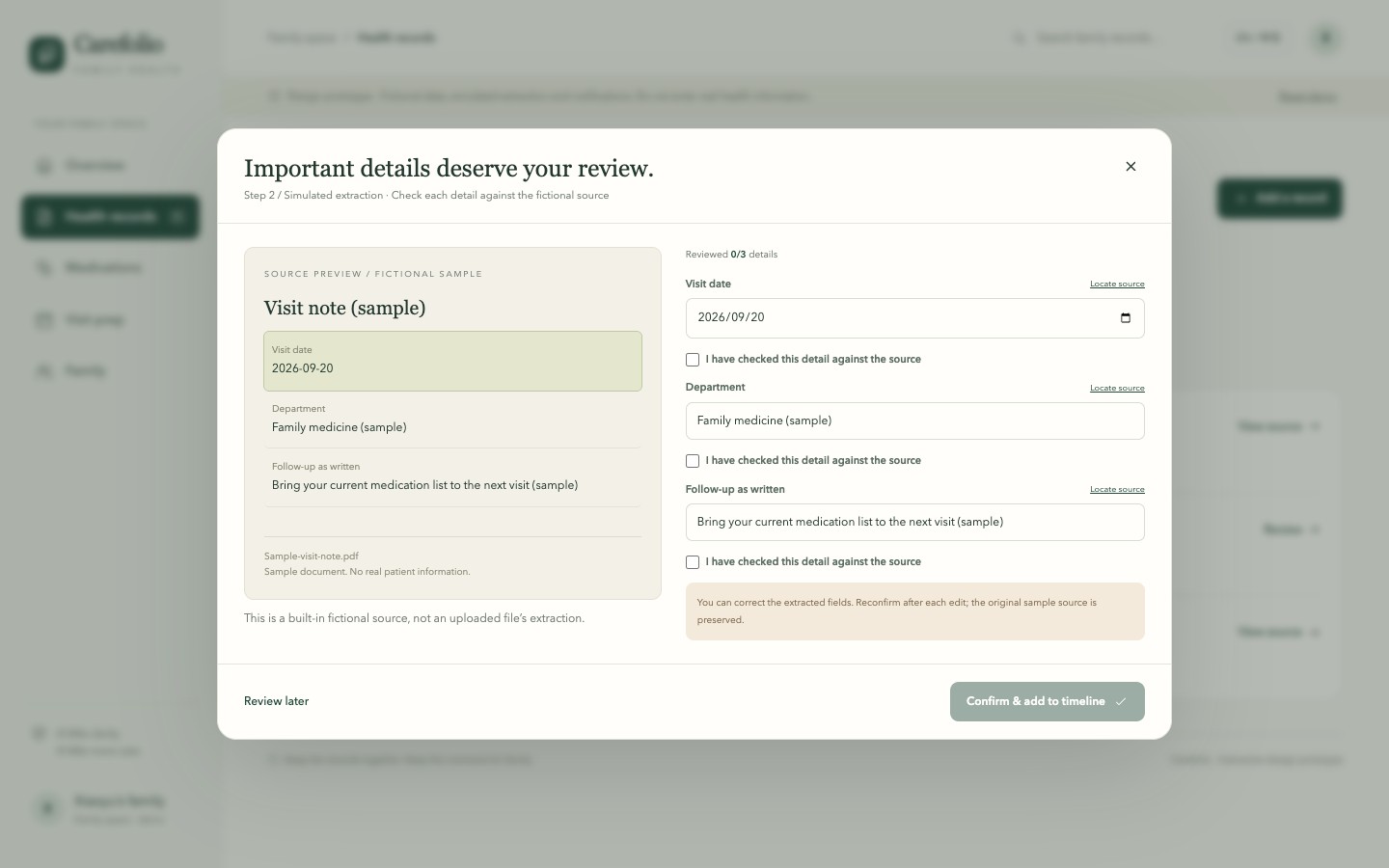
A CHECKLIST YOU CAN USE TODAY
Start with a folder and a spreadsheet. Use a simple guide to file names, source review and appointment preparation.
Read the parent-record organizing guideBEFORE YOU START
This video and interactive demo use fictional records only. Do not enter real names, medical records or medication information in the demo. See the plans page for live accounts, plans and current service availability.
The product offers Chinese and English interfaces and can retain Chinese or English originals. Extraction needs human review. Switching interface language does not translate records or guarantee medical translation accuracy.
The live product supports view or edit access per profile and access revocation. Changes in the demo are simulated in this browser; no real invitation is sent.
No. It organizes existing records and appointment questions. Ask a clinician about diagnosis, treatment and medications. Do not act on fictional demo information.
Check the plans page for current pricing, payment availability and allowances. Read the privacy policy for storage, export, deletion and third-party processing details.
See current plans and service availability · Read about data handling and deletion
NO-ACCOUNT HANDOFF WORKSHEETS
Open a blank sheet for your task. Entries stay in this tab; download a draft before leaving. File locations are text notes; the tool does not read or open your files.
Family index: blank PDF and CSV · Child handoff: blank PDF and CSV
Help us improve: try finding a fictional original, then tell us which step felt unclear. About a minute, with no account.
Try the one-minute taskThis demo uses fictional records. See the plans page for live accounts, plans and payment availability.